
Inside the Paper Wife Lookbook: Grade, Halation, Catchlights
Magnific Classic 2k hardened the eye catchlights on our upscales, so we wrote a fix. Here is the whole pipeline behind OMNI Lookbook Vol. 03, from 14 chat-generated frames to a 4:4:4 web edition.
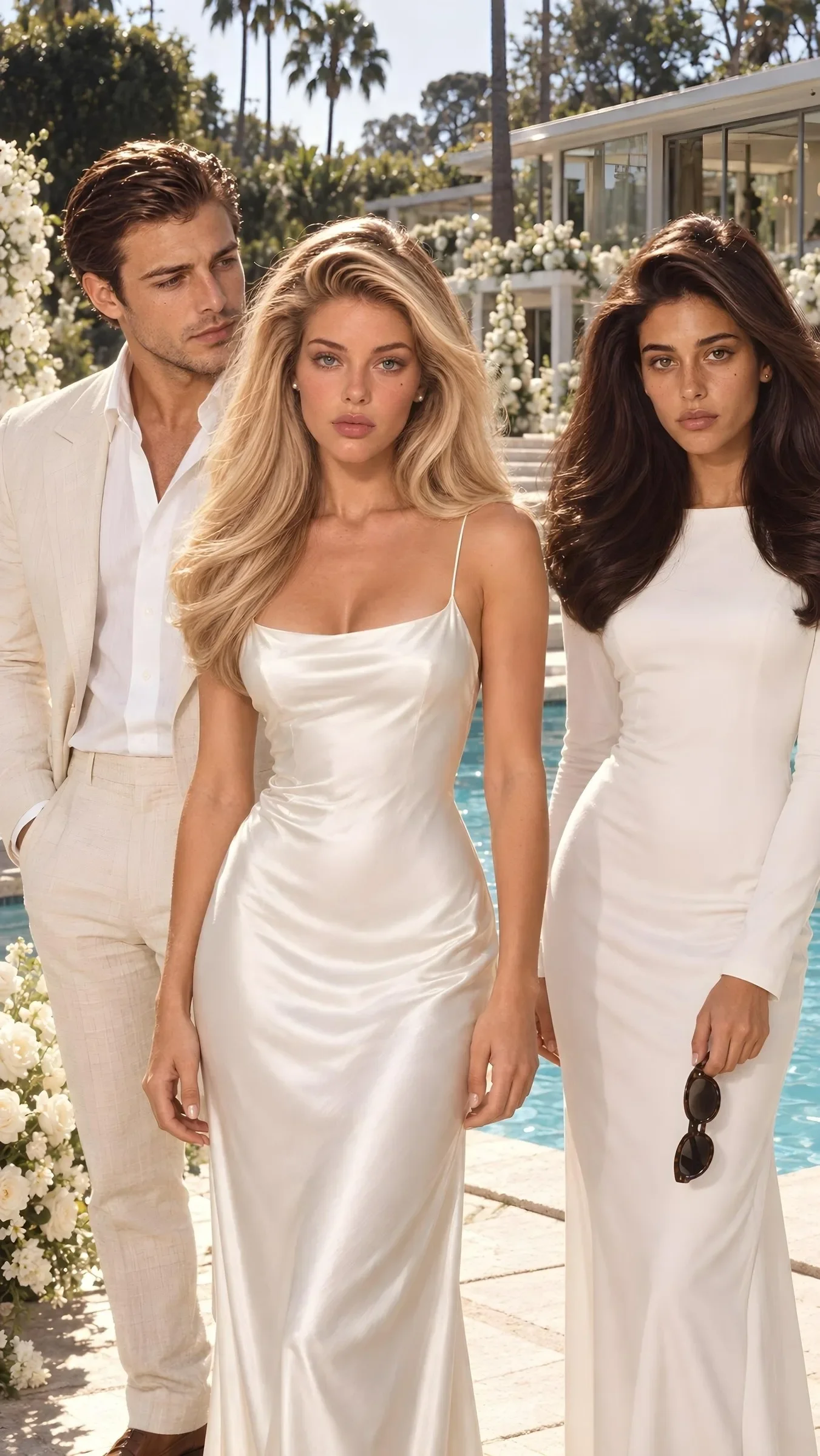
Key takeaways
- Every frame is a fresh chat; identity is held by two references per talent (face + character sheet), 2 to 6 images per frame, and a prompt that forbids inventing a different person.
- One grade for all frames: a partial LAB transfer to the episode's statistics (lightness untouched, a/b at 0.60), with the target pinned warmer because the episode read cold on paper.
- Finish order is grade, then halation, then grain, scaled by image height / 2048; the vignette is 0 and the grain seed is fixed at 1995.
- Magnific Classic 2k hardened eye catchlights into white blobs on some frames; a Haar-cascade fix blends the source's soft catchlight back, and two frames take the whole eye from the source.
- One build ships a 22,823,268-byte print PDF, a 4,745,010-byte mobile PDF and a web edition of 4:4:4 JPEGs on a nine-step srcset ladder.
A lookbook shot like a different shoot
OMNI Lookbook Vol. 03 is the printed and web companion to Paper Wife, an OMNI Dramas series: season one, nine episodes of 45 s each, vertical 9:16, set in Bel Air in summer 1995. It lives at https://omnilabs.studio/lookbook/vol-03/ and replaced The Arrangement, which was cancelled on 2026-10-22, at the same address. Page types, template and film finish carry over from that volume.
The one decision that shaped everything else: the pages are not stills pulled from the episodes. They come from a separate lookbook shoot on the wedding day, built for print. A magazine page needs a frame built for print.
All five leads (Sienna Vale, Cole Redding, Miranda Calder, with Maren Veldt and Livia Serrano) are OMNI synthetic talents, held identical from the first frame of the season to the last. This article follows a frame from chat window to screen.
The shoot: 14 frames, one fresh chat each
The frames were generated on ChatGPT in Chat mode, not Work, inside the Studio project, with the thinking-effort slider set to Medium. Each frame is one runner launch, which means each frame is a fresh chat with no memory of the previous one. The script waits 60 s between frames and takes a 5 min drain after every 4.
There are 14 frames, `lb01` to `lb14`, and an order file says which talents each one needs. Identity is held by references, not by description alone. Every talent is supplied as two images: a canonical face and a character sheet covering body, wardrobe and hair. The prompt then states which image is which and tells the model to keep face, bone structure, eye colour, every mark, body proportions, hair and wardrobe identical, and never to invent a different person.
| Frame | Refs uploaded |
|---|---|
| Single talent (portrait, full length, camcorder, book) | 2: face + sheet |
| Cover (Sienna and Cole) | 4 |
| Wedding wide | 5: both leads plus a photo of the altar set |
| Cast at the altar (Sienna, Cole, Miranda) | 6 |
| Props | none |
Every prompt also carries the same film-look paragraph: summer 1995, pushed 500-speed tungsten-balanced colour negative in hard California daylight, warm and slightly blown cream highlights, lifted warm blacks, peachy-golden skin (not orange), fine grain, gentle halation. Era make-up, real skin with visible pores, a nothing-after-1995 rule and a ban on readable text come with it.
One frame failed outright. The first run of the kiss (`lb07`, 4 refs) did not complete within 300 s, which the runner reports as a likely refusal, rate limit or stuck thinking. We re-prompted it as a tighter version: framed from the collarbones up, both leads fully dressed, 3 refs (Sienna's face, Cole's face, Cole's sheet). That run succeeded.
The grade: match the episode, not the frame
Frames from separate chats do not agree on colour, so the lookbook gets one grade, `pw_grade.py`, matched to the graded episode (ep01 v17). It measures mean and standard deviation per channel in LAB from 5 frames of the episode at 12, 17, 23, 33 and 49 s, picked because they carry no blur, no camcorder overlay and no end card. Each lookbook frame is then pulled toward those statistics with a LAB transfer that is deliberately partial, so every frame keeps its own light.
Three choices are worth copying:
- Lightness is left alone. The strength on L is 0.0, because the episode is darker than a printed page.
- Colour moves firmly but not fully. Strength is 0.60 on the a and b channels.
- The target is warmer than the episode. The episode's own average (a 3.2, b 9.7) read cold on paper, so the target a/b means are pinned to 6.0 and 15.0, the peach of our L1 look. We made that call on 2026-10-25.
After the transfer, saturation is multiplied by 0.95 and highlights go through a soft shoulder (knee 0.86, cap 0.95, about 242 out of 255), so the brightest areas stay cream rather than clipping to white.
Film finish: halation, then grain, no vignette
The finishing code is borrowed from The Arrangement's `film_finish.py`, which is why two volumes sit together as one stock. On each photograph the order is fixed: grade first, then halation, then grain, with the vignette set to 0 for the lookbook. The cast sheets go in clean, because they are reference documents and not photographs.
What the two stages do:
- halation thresholds luminance at 175, amplifies what is above it, blurs it (radius 18 px, strength 0.35) and screens it back in tinted (255,120,60). The result is the warm orange-red glow that film puts around bright edges.
- grain_vignette adds Gaussian luminance grain (sigma 7.5, blurred 0.6 px) from a fixed seed of 1995, so the same seed gives the same grain on every page.
Both are tuned in pixels at 2048 px tall. The build scales the halation radius and the grain blur by image height divided by 2048, so an upscaled frame keeps the same look on the page.
For print there is one more constraint: Chromium drops `mix-blend-mode` when it writes a PDF. The page-level grain is therefore a transparent RGBA grain tile laid over the pages instead of a blend mode.
Upscaling, and the catchlight problem it created
The frames were upscaled with Magnific Classic 2k to 1882x3344. 13 of the 14 frames have a Magnific file; the wedding wide (`lb02`) does not. The local 2K step in the shoot script is a plain Lanczos resize of each original to 1152x2048, and the build prefers the Magnific result wherever one exists.
The upscale had a side effect. Magnific Classic hardens eye catchlights into sharp, pure-white blobs. Our art director spotted it, and it did not happen on every frame, which is why a blanket setting would not do. We wrote `fix_catchlights.py`:
- It finds faces and eyes with OpenCV Haar cascades, run on the source image.
- Inside each eye box, wherever the upscale went near-white (above 205 and more than 8 brighter than the source, or a source above 215), it blends back a feathered Lanczos resize of the original.
- Iris, lashes and skin stay Magnific's.
Two frames needed more. On `lb04` (Sienna full length) and `lb06` (Cole full length) the upscale distorted the eye itself, with a pupil outline and glitter in the iris. For those the whole eye ellipse comes from the source, with a wider feather. The build then uses the `_magfix` files everywhere a Magnific file exists.
The kiss has its own exception. A mole on one face was erased in Canva Magic Eraser on 2026-10-25, and because the Magnific version of that frame still has the mole, the Canva version is swapped in.
Three deliverables from one build
The build produces a print PDF, OMNI_Lookbook_Vol03.pdf, at 22,823,268 bytes. From that file, `make_mobile.py` makes OMNI_Lookbook_Vol03_mobile.pdf at 4,745,010 bytes by re-encoding every opaque image as a progressive JPEG capped to a maximum edge and a quality that you pass on the command line.
The web edition is the third. `publish_web.py` takes the same built HTML and ships every photo as a srcset ladder of 4:4:4 JPEGs cut from the raw PNG, at quality 90, progressive. The ladder is 260, 360, 480, 720, 1000, 1400, 1900, 2600 and 3400 px wide. Only widths below the source width are used, plus the source width itself, capped at 2400 px, or 3400 px for images wider than 1.6 times their height.
Both choices come from a failure noted in the script:
- Ladder steps close together. A browser should never downscale more than about 1.5x on its own. A 6x GPU downscale made eyes and freckles sparkle.
- 4:4:4, not WebP. WebP is 4:2:0, so saturated colour loses chroma. Subsampling is set to 0.
The vol-03 folder holds 189 ladder JPEGs, logos excluded, and the page links PDF Mobile and PDF Print downloads. The cover image and the og:image are rendered from page 1 of the print PDF at 140 dpi.
What we would tell another production team
- Give identity two references per person. A face image and a character sheet, with the prompt saying which is which, held five leads across 14 frames.
- Match one grade to the finished film, then warm it for paper. The transfer left lightness alone and the target was moved warmer after a print check.
- Audit every upscale at the eyes. Compare against the source before sign-off.
- Publish three ways from one build. Print PDF, mobile PDF and a 4:4:4 srcset ladder.
Sources
Related
Fourteen Frames, One Set, Three Faces
Seven reference files, three faces and one walnut set gave us 14 frames from 14 separate chats. Reference count told us nothing about speed, and the 2K files were not 2K.
Two Characters, One Clip: Keeping AI Dialogue on the Right Mouth
In our 7-second two-face probe, both lines landed word-perfect with zero crosstalk. The time slice schema, word budgets, and blocking rules that isolate speakers.
How to Prompt Seedance 2.5 for Dialogue Scenes
Two synthetic characters, two voices, two lines — and the right mouth moved for each on the first try. The structure that made it work, and the failures that taught us each rule.