
The Body Is the Brief: Why Our First AI Persona Came Out Muscular
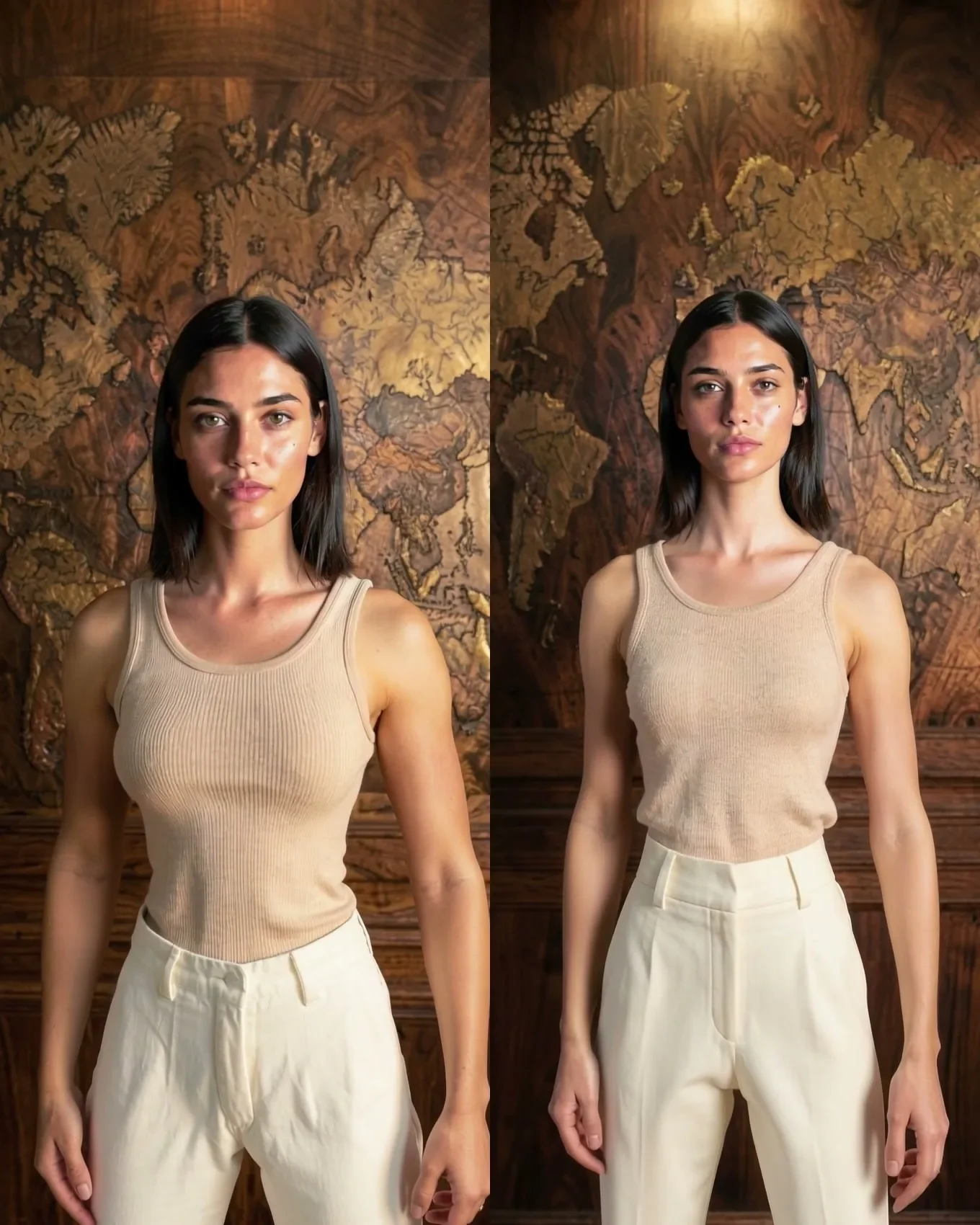
Layout-To-Render is faithful to the silhouette, so a game mannequin's shoulders became our talent's shoulders. Slimming the mannequin fixed the build. Hands and skin are still open.
Key takeaways
- v2 read muscular: the game mannequin's broad shoulders and thick arms carried straight through, because Layout-To-Render follows the silhouette.
- The image model also read the mannequin's panel lines as muscle definition.
- Fix: slim the mannequin in Unreal (width 0.86, depth 0.90, height 1.03) and describe a slender runway build in the look-still prompt, with muscle terms as negatives. v3 came out visibly slimmer.
- Still open: hands read about 1.3x face length, and skin looks plastic.
- Next to try, untested: a digital human with a slim body preset, a matte grey material, a skin-texture prompt for the look still, and film grain.
What v2 got wrong
In Casting a Mannequin we turned Unreal's stock mannequin into our talent, using a look still and a head-crop faceswap. The face worked. The body did not. Version 2 read as muscular: broad shoulders, thick arms and visible definition, on a talent whose brief is a slender runway build.
Nothing in our prompt asked for that. It came from the layout. (For the pipeline itself, see Unreal Is the Director.)
Two causes, one silhouette
The first cause is the one we should have predicted. The mannequin is built for a game: broad shoulders, thick arms, a heroic stance. Layout-To-Render is faithful to the silhouette in the layout, exactly as it is faithful to the camera. Whatever outline the grey body has, the finished body has. You cannot dress a silhouette thinner in the prompt.
The second cause is subtler. The mannequin's surface is divided by panel lines, seams between its plastic parts. The image model that makes the look still read those lines as muscle definition and painted them in. Once in the look still, they were carried through the clip.
So the body was decided twice before the video model ever ran: once by the mannequin's proportions, once by its surface.
Fix A: change the body, then say it
We fixed it at both points.
In Unreal, we scaled the mannequin itself:
| Axis | Scale |
|---|---|
| Width | 0.86 |
| Depth | 0.90 |
| Height | 1.03 |
In the look-still prompt, we described a slender runway build in positive terms and moved the muscle vocabulary into the negatives. Version 3 came out visibly slimmer, in the still and through the clip.
The order matters. A prompt alone cannot argue with a silhouette the layout is pinning frame by frame. Change the geometry first, then describe the body that geometry now supports.
What still reads wrong
Two problems are not solved, and we would rather say so than crop around them.
Hands. The hands read at about 1.3x the length of the face. The mannequin's hands are game hands, built large to read on screen. Our width-only scaling made it worse: narrowing the figure also narrowed the head, so the hands grew relative to the face.
Skin. The skin looks plastic, and three things stack to cause it. The mannequin's glossy material puts specular highlights into the layout, which the model reads as shine on skin. The look still came out smoothed. And the distilled second stage of the video render smooths a little more. None of the three is severe on its own; together they read as a doll.
What we try next
These are plans, not results:
- A digital human with a slim body preset, in place of the game mannequin, so proportions and hands start right instead of being scaled toward right.
- A matte grey material on the figure, so the layout carries no specular highlights to misread.
- A look-still prompt that asks for skin texture explicitly.
- Film grain in finishing, to break up what smoothing remains.
We will publish what those change once we have measured it.
The lesson
Layout-driven video moves every decision upstream. The camera is decided in the scene, the face in the look still, and the body in the grey figure standing in the set. The prompt can describe all of it, but it can only describe what the layout allows.
Next, where this rail ends and a cloud model takes over: Layout-To-Render vs Seedance 2.5. Previous in the series: Casting a Mannequin.